
Shared on behalf of Help Desk
IT will be scheduling automatic software updates to keep your computer secure and running smoothly.
What to expect:
- Background Updates: Updates will push automatically in the background and will not interrupt your ongoing work.
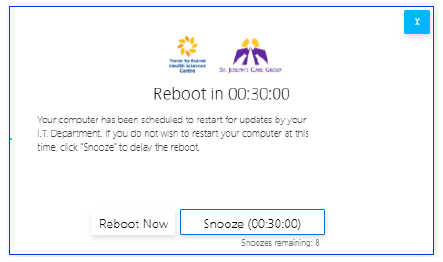
- Reboot Prompt: If an update on your system requires a restart, a prompt will appear on your screen once the installation is finished.
What you need to do:
- When the reboot prompt appears, please save your work and restart your device at your earliest convenience.
- If you are unable to restart immediately, you may choose “Snooze” to delay the reboot for 30 minutes. The reboot may be delayed up to 8 times before a reboot must occur.
If you experience any issues or have questions regarding these updates, please reach out to the IT Helpdesk.