
Shared on behalf of Help Desk
On Friday, May 6th, there will be several changes made to your Webex Applications. When logging onto your computer, your Meetings Application will pop-up as always. It should have an Update button at the top of the window (blue button in Image 1). When you click on this, several things will happen.
- It will uninstall your Meetings Application (Image 1)
- It will update/install the WebexApp on your computer (most computers already have the WebexApp installed) (Image 2)
- It will consolidate the Meetings Application into the Meetings Button within the WebexApp (Yellow Circle in Image 2)
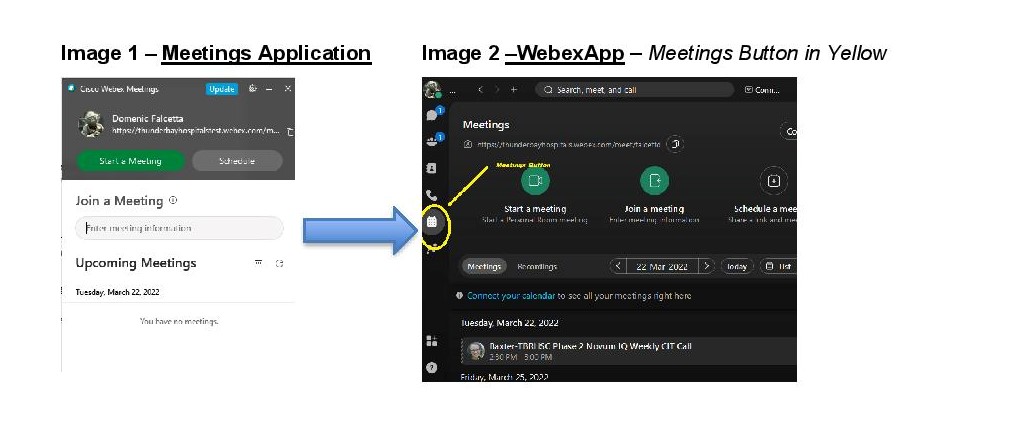
The main impact of this change will be the removal of the Meetings Application and consolidation into the WebexApp. If you do not click on the Update button, it will update on its own on subsequent logins, or when you launch Webex from your Application Launcher.